Create / Edit / Delete a Master Event
Create a new Master event
Click on the Create button on the toolbar

Edit an existing Master Event
Select the event from the list and click on the Edit button on the toolbar
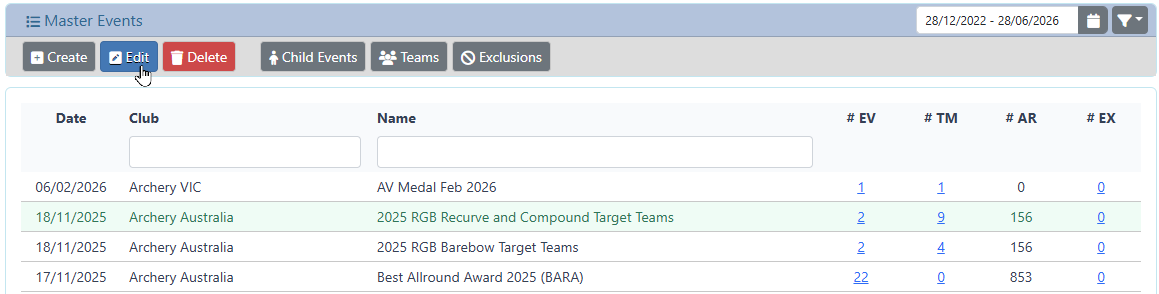
Create and Edit will present a pop-up dialog when the relevant information can be entered.
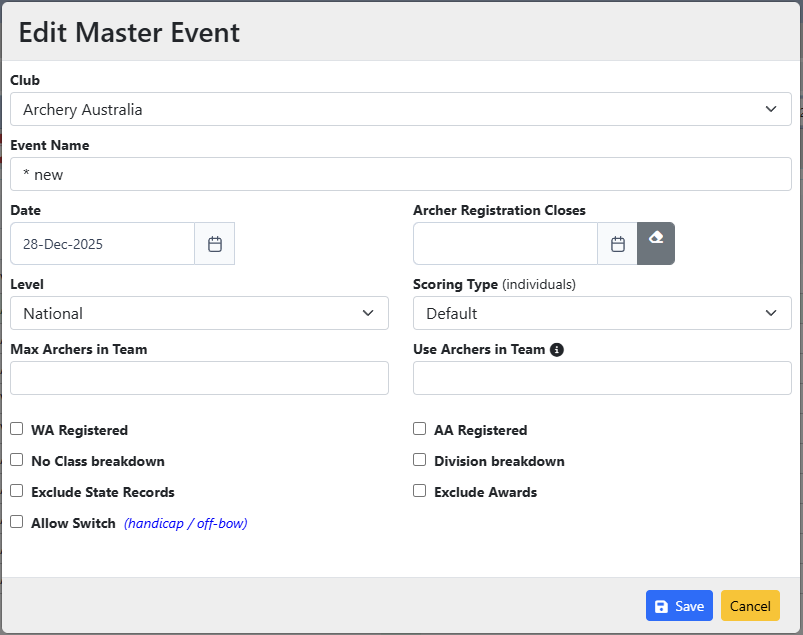
Club: This is a list of all clubs the logged in Recorder is authorised to manage. Select from the list of available Clubs associate the Master Event with this Club.
Event Name: A free-text title for the Master Event. This is the title presented in Archers Diary.
Date: The first date of the Master Event. This should align with the date of the first Event to be included.
Archer Registration Closes:
The last date that an archer can register to participate in ANY child Event via Archers Diary.
This also applies to the Club Recorders via Manage.
If you want individual closure dates per Event, then use the Closing Date feature in the individual Events.
Level: The associated Level of the Event (National / State / Club)
Scoring Type: (for individuals) Default / Highest Score / Highest Two Scores
Max Archers in Team:
This is the maximum number of archers allowed in a Team
Use Archers in Team:
This is the number of archer scores used for rankings.
Eg Max = 4, Use = 3 means the best 3 scores from the 4 archers in the team will contribute to the Team total.
WA Registered: Tick the box if the event is registered with World Archery
AA Registered: Tick the box if the event is registered with Australian Archery
No Class breakdown: Tick the box if the registered Class is to be ignored, and all Classes are merged to a single result
Division breakdown: Tick if you want the results to be separated by Archer Division
Exclude State Records: Tick this box to prevent the Archers Diary website from displaying any state records that may have been shot on the event results.
Exclude Awards: Tick this box to prevent the Archers Diary website from displaying any awards that may have been shot on the event results.
Allow Switch: The Master Event results can be toggled between Handicap and Off-bow. Use ONLY for handicapped events
Delete a Master Event
Select the event from the list and click on the Delete button on the toolbar
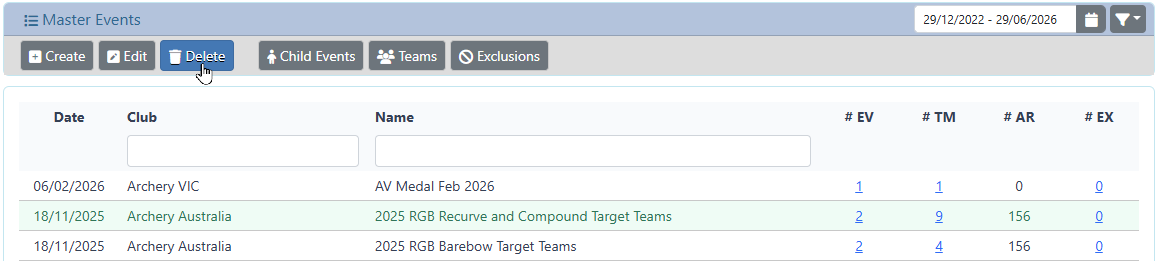
You will be prompted to confirm that you wish to delete the selected Master Event
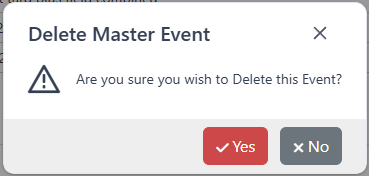
Click yes to continue and delete the Master Event.
All linked information (Events, Teams, Archers) will be removed. This action cannot be undone
Click no to cancel the operation, the Master Event will not be removed.
Child Events
Display the Child Events information for the current Master Event
Teams
Display the Teams information for the current Master Event
Exclusions
Display the Exclusions information for the current Master Event