Mark Invalid / Undo Invalid
Mark Invalid
To mark all of the Scoresheets in a Flight as Invalid, select the flight from the Flight list page, and click the Mark Invalid button.

A dialog will be presented which displays all of the selected Flight, and the number of Archers (scoresheets) in the Flight.
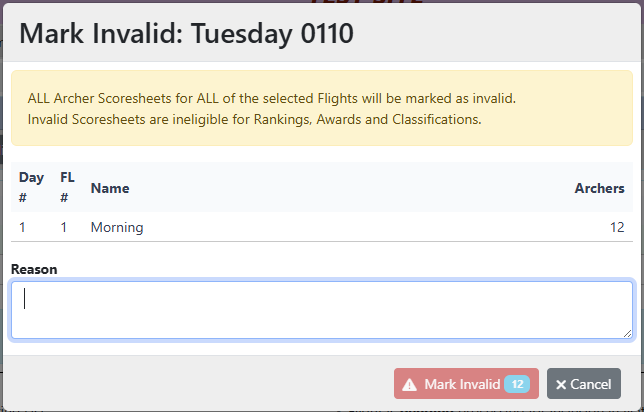
The [Mark Invalid] button will show the total number of Scoresheets that will be affected.
Provide a reason for the Invalid status and click the [Mark Invalid] button
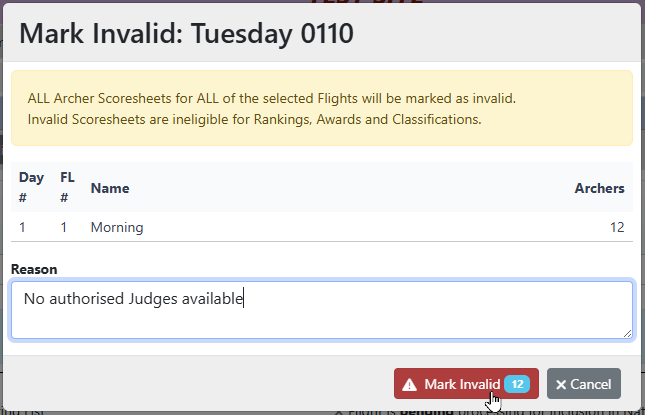
All of the Scoresheets (12 in this case) will be marked as Invalid, and commented with the provided Reason.
Invalid Scoresheets are ineligible for Rankings, Awards and Classifications.
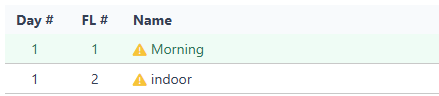
The Flight will appear in the list with an orange warning symbol to indicate that the Flight has been marked as Invalid
Undo Invalid
To mark all of the Scoresheets in a Flight as Valid, select one or more Flights from the Flight list page, and click the Undo Invalid button.

A dialog will appear for you to confirm the selection.
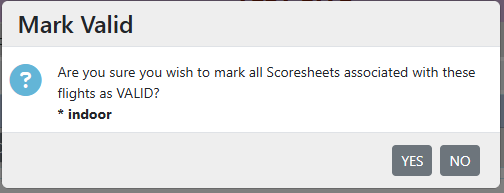
All of the Scoresheets previously marked as Invalid with this process will be restored as valid scoresheets.